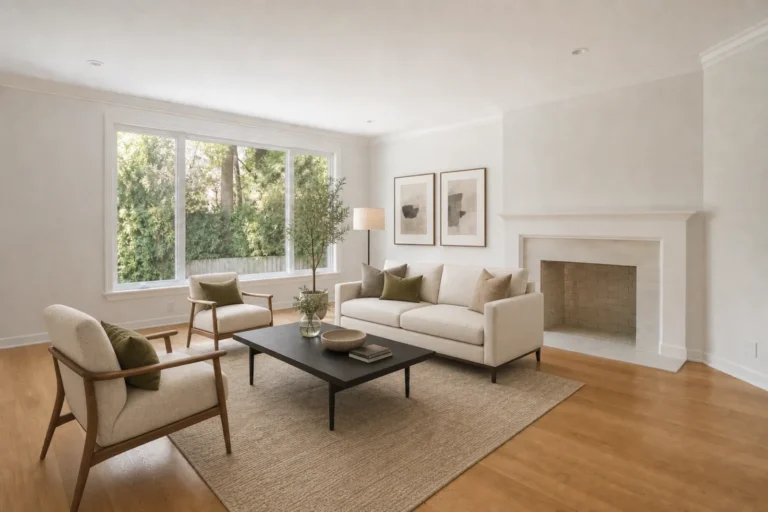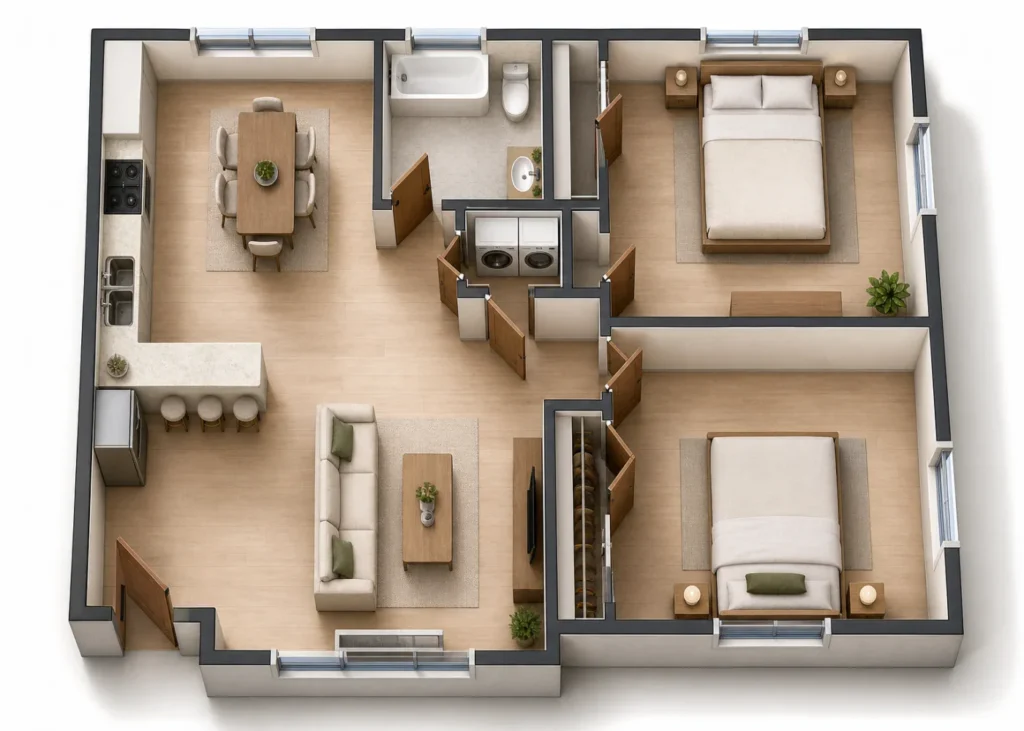
A floor plan communicates rooms, openings, and movement through a home, but its lines can be abstract for someone who does not read plans every day. A furnished visualization gives those same spaces a more intuitive visual story. It can help an agent explain a layout, help a buyer imagine how rooms connect, or help a designer discuss a first concept.
The render remains an interpretation of the plan. It is useful for presentation and discussion, while the original drawing and verified measurements remain the reference for decisions about fit or construction.
Choose a clean source plan
Start with a high-resolution JPG or PNG that shows the exterior walls, interior partitions, door swings, windows, and room boundaries clearly. Straighten the image and crop away unrelated title blocks if they obscure the layout. When labels or dimensions matter, keep them readable in the source image even though generated text in the result may not reproduce correctly.
Decide what the visual should explain
A top-down furnished view is useful for showing circulation and the relationship between rooms. A perspective interior image may help explain the feeling of a particular space. Specify the intended output in your instructions; a single image may not communicate both equally well.
Add a restrained design direction
Describe a small set of choices: for example, light oak floors, warm white walls, simple furniture, and soft daylight. Keep style separate from architecture. A coherent palette can make the plan easier to read, while excessive decor can hide the very room boundaries you want to show.
Review the result against the original
AI may move a door, add a window, enlarge a room, or invent storage. Compare the render with the source plan before sharing it. Count rooms, inspect walls and openings, and check that the kitchen, bathrooms, and circulation still correspond to the drawing. Regenerate or edit any image that changes those relationships.
Keep scale and measurements separate
A photorealistic render can look exact even when its proportions are only approximate. Do not use it to confirm that furniture fits, certify area, quote construction work, or substitute for CAD, BIM, architectural drawings, or a site survey. If a specific measurement affects a decision, verify it from the measured plan or with a qualified professional.
Present the plan and the visual together
Place the original 2D plan beside the AI interpretation. A caption such as “Illustrative AI visualization based on the supplied floor plan†makes the relationship clear. This gives viewers the quick understanding of a furnished image while letting them inspect the actual plan.
A practical three-step workflow
- Upload: use a legible, straight plan with visible walls and openings.
- Choose: specify the view, furnishing level, and one consistent style.
- Verify: compare the result to the original and correct anything that changes the layout.
A strong visualization makes a floor plan easier to discuss without pretending to be a measured construction document. Treat it as a companion to the drawing, and it becomes a clearer way to communicate a property’s possibilities.
Visualize a plan: Explore EstateFrame AI Floor Plan to 3D.