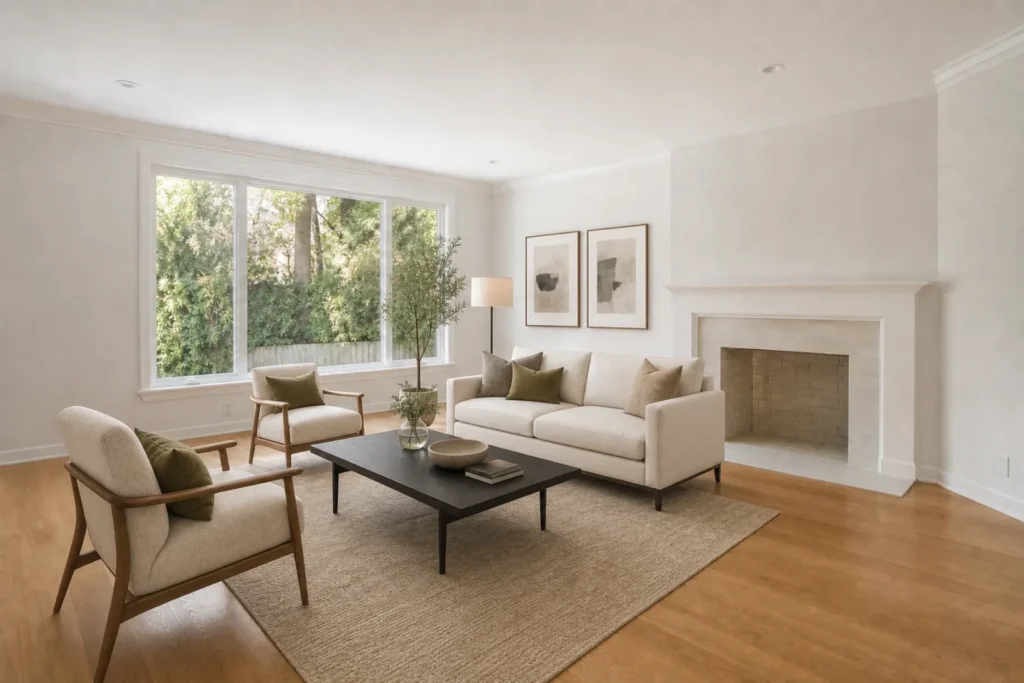
An empty room gives buyers freedom to imagine. It can also leave them wondering whether their sofa fits, where the dining table belongs, or how the space would feel once someone lives there. AI virtual staging adds furnishings to a photo so a buyer can see one possible use of the room before visiting in person.
The headline asks whether staging helps a home sell faster, but no image can promise that outcome. In the National Association of REALTORS®’ 2025 Profile of Home Staging, 83% of buyers’ agents said staging made it easier for a buyer to visualize a property as a future home. That survey covers home staging generally; it does not prove that AI staging alone shortens the time to sell. Its practical lesson is to make the space easier to understand while presenting the property honestly.
1. Show a room’s purpose
A vacant room may read as too small or too vague in a thumbnail. A proportionate bed can establish a bedroom; a desk can suggest an office; a dining set can make an open area legible. Choose a use that fits the actual room rather than turning a storage nook into a second bedroom.
2. Give buyers a sense of scale
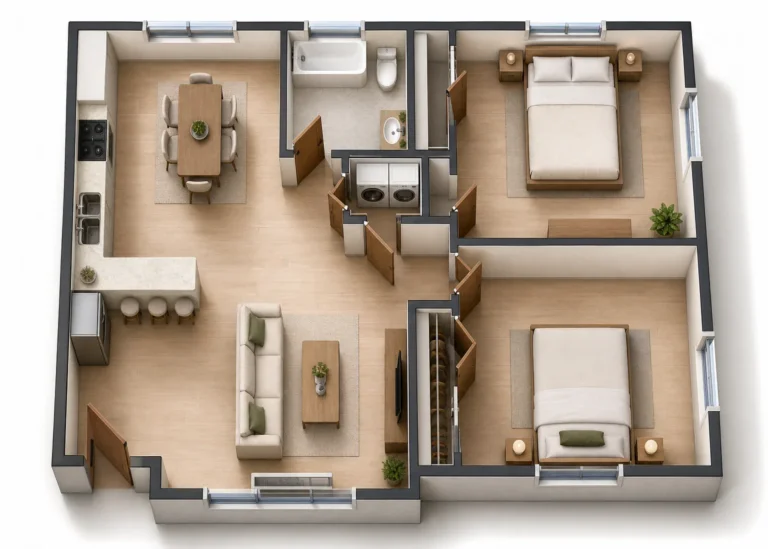
Furniture creates reference points. A modest sofa, rug, and coffee table can help viewers judge the space between windows, doors, and circulation paths. AI can misjudge measurements, so compare the result with the original photo and any available floor plan. Never imply that a depicted item has been measured to fit.
3. Make the listing easier to picture online
Buyers often encounter a home through a small set of listing images before they read every detail. A coherent room image can explain the layout quickly and invite a closer look. Begin with a sharp, well-lit source photograph; virtual furniture cannot rescue a misleading camera angle or conceal defects responsibly.
4. Explore a suitable style
A neutral contemporary look may help a broad audience focus on the property. A warmer style can suit a character home. Keep the furnishings and color choices plausible for the home’s architecture and likely audience. The goal is to help a viewer see the room, not overwhelm it with decor.
5. Present possibilities before paying for physical staging
Physical staging may still be valuable for showings. A digital concept can help a seller and agent agree on a direction first, especially for a vacant property or a room with an unclear function. Use it as a planning and marketing aid, then decide whether any real-world changes are worth making.
6. Keep a consistent visual story
If you stage several rooms, use compatible furniture scale, colors, and lighting. A living room and primary bedroom should feel like parts of the same property. Inconsistent AI images can distract buyers and make the presentation harder to trust.
7. Show the original image too
Publish the unaltered photo alongside the staged concept and label the edited image clearly. Check the rules of the listing platform or local MLS before uploading digitally altered photos. Keep walls, windows, doors, permanent fixtures, views, and the property’s condition accurate. If the model changes any of these, regenerate the image or leave that result out.
A simple virtual staging workflow
- Photograph the room cleanly in even light and keep the original file.
- Choose a realistic room use and a restrained style.
- Generate a concept, then inspect furniture scale, architecture, reflections, and shadows.
- Label the image as virtually staged and present it with the original.
Virtual staging is strongest when it answers a buyer’s question: “How could this room work for me?†If the edited image helps answer that without changing what the property is, it has done its job.
Try it with your own room: Explore EstateFrame AI Virtual Staging.